
A sudden power interruption can turn an ordinary working day into a scramble. Computers shut down, internet connections disappear and employees may lose work that was not saved. For a business that depends heavily on digital systems, even a short interruption can affect productivity.
Power planning is therefore about more than keeping equipment switched on. Businesses need to decide which devices are important, how long they should remain operational and what should happen when electricity is interrupted. A sensible backup strategy begins by answering those questions rather than simply purchasing the largest power unit available.
Identify the Equipment That Really Matters
Not every electrical device in an office needs backup power. Trying to support everything can increase costs without providing much practical benefit.
Start by identifying equipment that employees genuinely need during an interruption. Computers, networking hardware, servers and communication equipment may be priorities. Printers, kitchen appliances and other high-consumption devices may not need to remain operational.
Creating this list gives the business a realistic picture of the load that backup equipment may need to support. It also helps separate essential systems from devices that can simply wait until normal electricity returns.
A UPS Provides More Than Extra Minutes
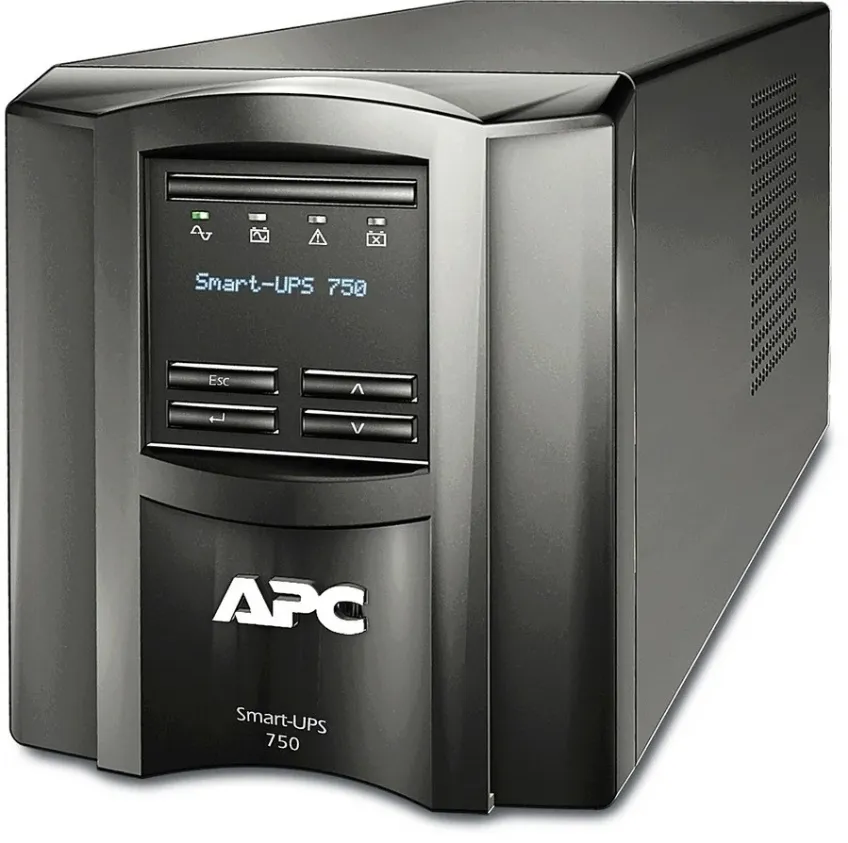
A UPS can provide temporary power when the main supply is interrupted, allowing connected equipment to continue operating for a limited period. This can give employees time to save work or allow important systems to shut down correctly.
Businesses researching UPS in Kenya should first calculate the power requirements of the equipment they intend to connect. Choosing a UPS without understanding the expected load can result in unrealistic runtime expectations.
The objective is not necessarily to continue normal operations indefinitely. In many workplaces, having enough time for an orderly response is already extremely valuable.
Decide What Employees Should Do During an Outage
Backup equipment works better when people know what is expected of them. Without a simple procedure, employees may continue working until the backup battery is nearly exhausted.
A basic plan could identify which applications should be saved first, which computers should be shut down and who is responsible for checking shared systems. Staff do not need complicated technical instructions; they need a clear sequence they can follow.
This turns backup power from a piece of hardware into part of a practical continuity plan.
Runtime Depends on the Connected Load
One common misunderstanding is that a particular UPS will provide the same runtime in every situation. In reality, runtime is influenced by the amount of equipment drawing power.
A workstation with a monitor may consume far less than several computers, networking devices and other connected equipment. Adding more devices can reduce the available backup period.
This is why buyers comparing UPS Price in Kenya should look beyond the purchase price. Capacity, supported load and expected runtime need to make sense for the intended setup.
Paying for unsuitable capacity can be just as unhelpful as selecting a unit that is too small.
Keep Internet Equipment in the Plan
Employees often focus on keeping their computers powered but forget that online work also depends on networking equipment. A laptop with a charged battery is less useful for cloud-based tasks if the router and related network devices have already switched off.
Businesses that depend on online communication should therefore consider which networking components need temporary power.
This does not guarantee internet availability during every outage, because external provider infrastructure can also be affected. It does, however, prevent the office’s own equipment from becoming the immediate reason connectivity disappears.
Servers Need an Orderly Response
A server may be supporting shared files, databases or internal applications when electricity fails. An abrupt shutdown can interrupt active processes and create unnecessary risk.
Backup power can provide time for administrators or automated systems to respond appropriately. The required approach depends on the server, workload and business environment.
Companies should decide in advance whether critical equipment needs only enough time for a controlled shutdown or whether operations must continue for longer. That decision strongly influences the backup solution required.
Maintenance Should Not Be Forgotten
Installing backup power equipment is not the end of the process. Batteries age, office equipment changes and power requirements can increase as new devices are added.
Periodic checks can confirm that the setup still matches the workplace. Businesses should review connected equipment and follow appropriate maintenance guidance for their hardware.
A system selected several years ago for a smaller office may no longer provide the same practical protection after the organisation expands.
Conclusion
Power interruptions become easier to manage when businesses know which systems matter most and what should happen when electricity disappears. The goal is not simply to keep every device running for as long as possible.
By identifying essential equipment, estimating realistic loads, considering network and server requirements and creating a clear shutdown procedure, an organisation can prepare more effectively. A planned backup arrangement gives employees valuable time to protect their work and respond calmly rather than making hurried decisions after the lights go out.